
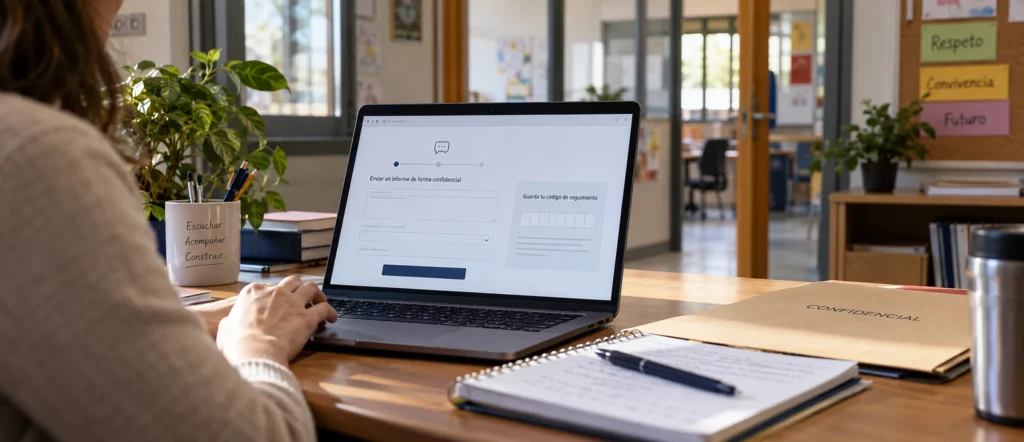
There are projects that, when viewed from the outside, seem simple but actually require much more planning than programming. This often happens when the tool has to handle sensitive information, meet very specific needs, and be user-friendly for people without technical knowledge.
This is the case with the anonymous reporting channel we developed at Queiku for an educational institution. They needed a tool integrated into their own website that would allow them to report sensitive situations, track each case, and manage it privately, without relying on an external platform. Although the project originated in the educational sector, the approach is applicable to companies, associations, or any organization that needs to receive confidential reports.
In this article, we review the decisions that shaped the development process and explain why, in a project like this, a significant part of the work involves thinking things through carefully before writing a single line of code.
A reporting channel is more than just a form
More and more organizations need a mechanism that allows someone to report a sensitive situation confidentially. In companies, these situations typically involve potential irregularities or violations, while in educational institutions, they often involve issues related to social interaction, harassment, or other situations that require special attention.
Behind these requirements lie various regulatory frameworks, such as Law 2/2023 on the protection of whistleblowers and Organic Law 8/2021 on the protection of children and adolescents against violence. Each has its own purpose, and not all organizations are subject to the same obligations. Law 2/2023, for example, requires companies with 50 or more employees to have an internal reporting system, although it is advisable to confirm the specific requirements for each organization with a specialized advisor.
In any case, all of these situations pose the same practical problem: how to turn communication, protection, and monitoring needs into a tool that anyone can easily use. Receiving a report is only the first step, because next you have to decide who can access it, how to request additional information, and how to maintain contact with the person who submitted it without compromising their privacy. And all of this must be done without making the process complicated for either the person reporting the incident or the person who has to handle it.
Think before you code
Much of our work focused on the pre-development phase. Instead of choosing a ready-made tool and adapting the school’s needs to it, we began by defining how the channel should function and what situations it might encounter, with the goal of finalizing as many decisions as possible before writing any code. In a tool of this type, even the smallest details end up affecting the entire system.
Allowing anonymous communications, for example, requires us to figure out how that person can later check the status of their case. If we also want them to receive responses, submit documentation, or provide additional details about what they’ve reported, we need a follow-up system that works without identifying them. We also need to anticipate less obvious situations, such as what happens if someone loses their login information, wants to withdraw a report, submits incomplete information, or inadvertently includes personal data.
To address all of this, we examined the channel from three perspectives: that of the person submitting a report, that of those who manage it, and that of those who provide technical support for the tool. This analysis also allowed us to distinguish between what was essential and what would only have added complexity.
That’s also why we opted for a custom solution. There are many plugins and platforms for implementing reporting channels, and some are very comprehensive, but they don’t always fit each organization’s specific needs: sometimes they lack a particular feature, and other times they include so many sections and settings that they complicate a relatively simple need. With the parameters clearly established from the start, we were able to develop exactly what was needed. This is something we often see in custom projects: customization doesn’t always mean writing a lot more code, but it does require a deeper understanding of the problem before solving it.
Privacy shapes all development
One of the main requirements was that anyone could submit a message without identifying themselves, and that influenced decisions that in other projects would have gone almost unnoticed. Removing the first and last name fields from the form was the most obvious step, but we also had to review how the information was stored, what data could be recorded, who would have access to it, and how we would maintain contact afterward.
That is why, from the outset, we distinguish between the information provided by the person using the channel and the mechanisms needed to manage it. Anyone who submits a report receives a private access code to view their case, without needing to create a user account, and may optionally provide an email address to receive notifications. That email address is stored separately so that it is not unnecessarily linked to the content of their report.
Attachments deserved special attention, because a photograph or document may contain information that identifies the sender even if they have not provided their name; therefore, the channel includes guidelines to reduce that risk. Overall, the approach was to request only the necessary information, limit its exposure as much as possible, and ensure that the system’s internal operations did not jeopardize the privacy it was intended to provide.
Anonymity has limits that are worth understanding
During the planning phase, we also recognized that no digital tool can guarantee absolute anonymity under any circumstances. We can limit the information collected, control who has access, and implement security measures, but there are always factors that lie beyond the scope of the software.
A person may inadvertently reveal their identity through details in their account, and a document may contain personal data that no one has noticed. Someone with authorized access may take a screenshot or improperly share information, and any digital infrastructure must account for the possibility of errors, unauthorized access, or data breaches. None of this diminishes the value of technical measures, which are essential for reducing risks, but it helps us understand what they protect and what depends on the responsibility of those who use or manage the tool.
That’s why we prefer to design a channel with realistic guarantees and clearly explained limitations rather than promise total protection that no one can guarantee. We believe this is the most honest way to work with our clients—and it also allows them to make better decisions about how to use the tool.
Integrated with WordPress, but standalone
The school’s website is built using WordPress, and the channel was intended to be part of it. This had clear advantages, as it avoided reliance on an external platform, allowed for seamless integration, and provided users with an environment they were already familiar with. At the same time, it posed a significant technical challenge: WordPress has its own systems for users, permissions, sessions, plugins, and updates, and for a tool that manages such sensitive information, it was important to avoid any unnecessary dependencies on the rest of the installation.
The solution was to develop our own plugin that integrates visually into the website but manages private information using its own access controls and processes, separate from those of the rest of the site. Thus, anyone submitting a report does not need to register on the website, and those who administer WordPress do not have access to the cases simply because they manage the site. In this way, we take advantage of what WordPress offers without turning it into a complaint management platform or adding more features to the channel than are strictly necessary.
Instructions for each user
Documentation is an aspect that is often left out of development budgets; however, a well-designed channel can malfunction if its users do not know how to use it or are unaware of the precautions they should take. In this project, we identified three user profiles with different needs.
People submitting reports need simple instructions on how to do so, how to save their login information, and how to view responses. Case managers need to understand how the system works, the steps involved in follow-up, and the precautions to take when handling information. And those responsible for technical maintenance need specific instructions on configuring and monitoring the tool.
That’s why we prepared a tailored guide for each role, providing each person with what they need to perform their duties without burdening them with details that aren’t relevant to them. The documentation was part of the project from the very beginning, because the goal was for the channel to be used correctly from day one.
An approach that can benefit your organization
The result is a tool integrated into the school’s website and designed to make submitting and managing communications as simple as possible. Everything revolves around a few essential functions: submitting a communication, accessing it privately, providing additional information, exchanging messages, and enabling authorized individuals to follow up—without external platforms to manage or features the school won’t use.
Behind this result lies our standard approach to custom development: conducting a thorough analysis before coding, building only what adds value, documenting with the end user in mind, and continuing to support the client even after the system goes live. Since this is an in-house development, the platform can be adjusted as its use evolves, and we continue to provide technical oversight in collaboration with the center.
Although this project was designed for a school, the same approach can be adapted for companies, organizations, and work teams that need to receive confidential communications and manage them privately. The roles, responsibilities, and safeguards vary from one case to another, which is precisely why it makes sense to start with a custom solution that can be tailored without including features that aren’t necessary.
If your organization needs a channel like this, or any other tool tailored to the way you work, we can help you design it from the ground up. Tell us what you need, and we’ll figure it out together.