
Updated post: This article was originally published on October 8, 2015, and was updated in January 2024 to revise references and current guidelines regarding the use of cookies.
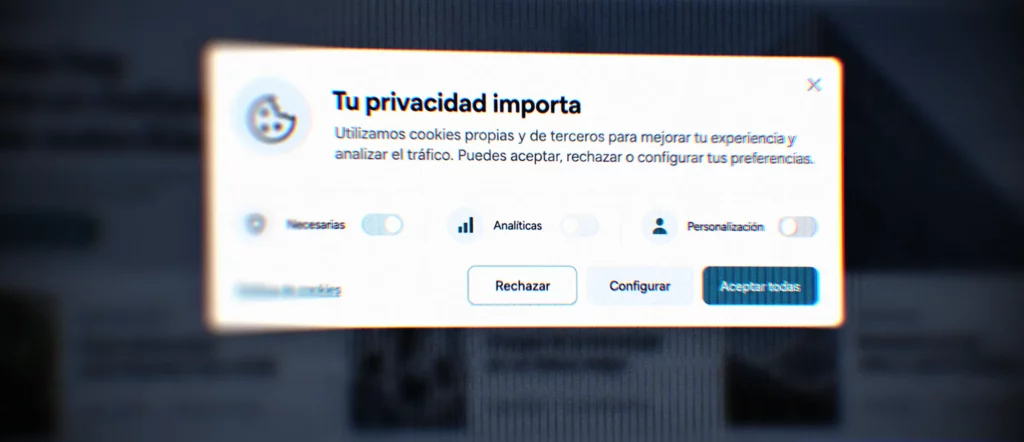
When you browse the internet, it’s common to see a notice at the bottom, top, or center of a web page that discusses the use of cookies. That notice is what we usually refer to as a cookie banner.
Although this may seem like a minor inconvenience to many users, it serves an important purpose: to provide information about the use of certain technologies on the website and, when necessary, to request the user’s consent before installing cookies that are not strictly necessary.
What Are Cookies?
Cookies are small files that a website can store on a user’s device when the user browses the site. They are used to remember information about the visit, facilitate certain functions, or improve the interaction between the website and its users.
For example, some cookies may be used to remember your chosen language, maintain a logged-in session, save items in a shopping cart, or collect statistical data on website usage.
Not all cookies serve the same purpose or have the same impact. Some are necessary for the website to function properly, while others may be used to analyze user behavior or display personalized ads.
The Spanish Data Protection Agency explains that the use of cookies can have significant implications for users’ privacy, especially when they allow for the analysis of browsing habits, preferences, or behavior on a website.
Why does a cookie banner appear?
The cookie banner appears because many websites use first-party or third-party cookies that require them to inform users and, in certain cases, obtain their consent.
In Spain, this issue is related to regulations governing information society services and e-commerce, as well as data protection regulations when cookies involve the processing of personal data.
For this reason, a website should not simply display a generic notice. It must clearly explain which cookies it uses, for what purpose, who manages them, and how users can accept, reject, or configure their use.
The AEPD’s Guide on the Use of Cookies outlines the current criteria for informing users and obtaining their consent on websites and in applications.
What Types of Cookies Are There?
There are different types of cookies, and they can be classified in various ways.
Depending on who manages them, they can be:
- First-party cookies, which are managed by the website owner.
- Third-party cookies, which are managed by another entity, such as an external analytics tool, an advertising service, or embedded content.
Depending on how long they remain active, they can be:
- Session cookies, which usually expire when the user closes the browser.
- Persistent cookies, which remain for a specified period of time.
Depending on their purpose, we can find:
- Technical cookies, which are necessary for the website to function properly.
- Personalization cookies, which remember user preferences.
- Analytics cookies, used to measure and understand website usage.
- Advertising cookies, related to the management of advertising space.
- Behavioral advertising cookies, used to create profiles or display personalized ads.
This classification helps explain why not all cookies should be treated the same. A cookie needed to remember the shopping cart does not serve the same purpose as a cookie used to create advertising profiles.
What a cookie notice should include
A cookie notice should help users easily understand that the website uses cookies or similar technologies, what they are used for, and what options they have. Not all websites are equally complex or use the same tools. Some sites only need technical cookies to function properly; others incorporate analytics, external videos, maps, forms, ad pixels, or other third-party services. Therefore, before setting up a banner, it’s a good idea to check which cookies the website actually uses.
At a minimum, the notice should provide clear and visible information, link to a cookie policy, and allow users to make a choice regarding cookies that are not necessary. The AEPD notes that the options to accept and reject cookies must be presented simultaneously, at the same level, and with the same visibility, ensuring that rejecting cookies is not more difficult than accepting them.
Some projects use very simple cookie solutions, especially on small websites or those with basic needs. Even so, it’s important to understand that a banner shouldn’t be just a decorative notice: it must be related to the website’s actual use of cookies and provide users with clear information.
As a general guideline, a cookie notice should include:
- inform users that the website uses cookies
- briefly explain its purpose
- link to the cookie policy
- allow users to accept or reject non-essential cookies
- provide a reasonable way to modify the decision later
When a website uses analytics, advertising, or third-party service cookies, it may be advisable to use a more comprehensive solution that allows for more detailed consent management. In any case, the important thing is not to install tools just to “check the box,” but to assess what each website actually needs and implement a proportionate and consistent configuration.
What to Do If Your Website’s Banner Isn’t Set Up Correctly
If your website doesn’t have a cookie banner, if it only displays an informational notice, or if it doesn’t make it as easy to reject cookies as it is to accept them, you should review its settings.
Not all websites need the same type of banner. It depends on the tools they use, the cookies installed, the purpose of those cookies, and whether third-party services such as analytics, advertising, embedded videos, maps, forms, or tracking pixels are involved.
It is recommended that you check:
- which cookies the website actually installs;
- whether there are third-party cookies;
- if they are installed before consent is obtained;
- whether the user can accept, reject, or configure;
- whether there is an up-to-date cookie policy;
- whether consent can be modified later.
The AEPD updated its guidelines to bring them in line with European guidelines on misleading practices, stating that it should not be more difficult to reject cookies than to accept them.
What can we conclude?
The cookie banner is not just a visual element that appears when you visit a website: it is a tool for informing users and allowing them to make decisions about the use of certain technologies. It must clearly explain which cookies are used, what they are used for, and how users can manage them. In addition, it must avoid confusing language or generic notices that are not related to how the website actually works.
If your website lacks legal texts, if they are out of date, or if you’re unsure whether the cookie notice is set up correctly, it’s a good idea to review the entire legal section. At Queiku, we can help you identify these needs, and when the project requires it, we have the support of our legal partner, who is responsible for developing customized legal texts for each website and each client: privacy policy, legal notice, cookie policy, and all other necessary documents.
The goal is not to add text just for the sake of compliance, but to have a clear, proportionate legal basis that is tailored to the actual use of each website.